How I Passed the OSCP on My Second Attempt (After Failing at 60 Points)
A practical breakdown of what went wrong at 60 points, the one-month structural rebuild, and the exact AD workflow, PrivEsc discipline, and mindset shifts that led to passing OSCP.
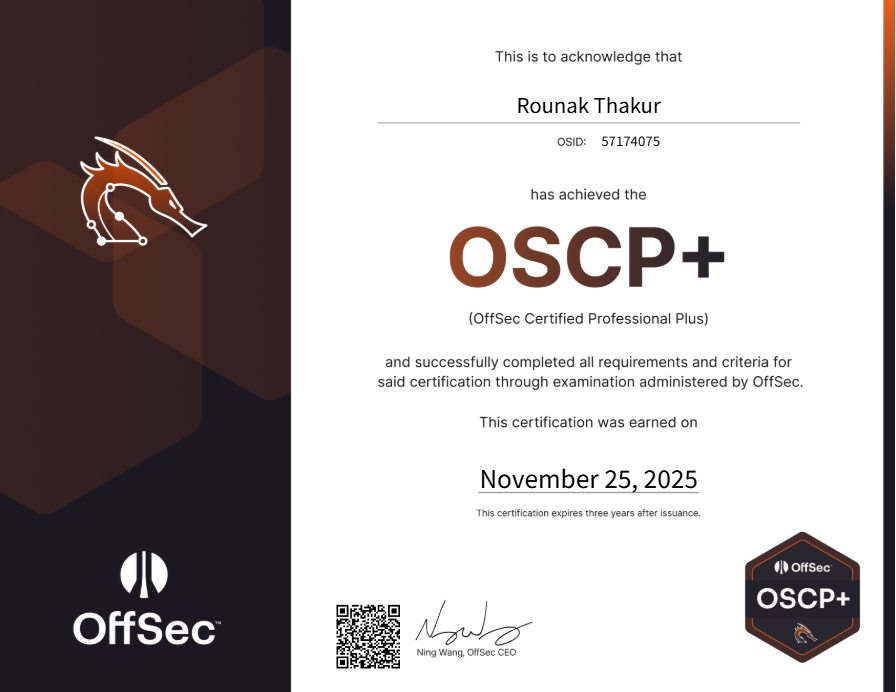
whoami
Previously worked as a VAPT Associate at PwC, handling:
- Internal & external red teaming
- Web, API, and mobile application pentesting
- Infrastructure & network security
- Active Directory assessments
My cybersecurity journey began with curiosity about breaking things and modding games. During my B.E., I learned through TryHackMe, building fundamentals in Linux, Windows internals, enumeration, and foothold techniques. I later used TryHackMe and HackTheBox side-by-side for learning.

After joining PwC, I grinded the TJ Null HTB list daily, often staying late into the night. In November 2024, I purchased LearnOne and completed HTB Academy Linux & Windows Privilege Escalation tracks.
Attempt 1 (20 September): The Painful 60 Points
I entered the first attempt with solid technical knowledge but struggled with execution under pressure.
Timeline:
- Hour 1: Rooted MS01
- Hours 1–17: Stuck in rabbit holes and context-switching
- Hour 18: Foothold and root on standalone machine (30 min)
- Next 30 min: Rooted MS02
- Next 30 min: Rooted DC
- Hour 23: Sitting at 60 points (needed 70)
What went wrong:
- Chased guesses instead of structured enumeration
- Didn’t pivot fast enough when a path failed
- Lost time to rabbit holes
- Mental model collapsed when time slipped away

I booked the next exam for 19 November and treated the failure as data rather than destiny.
The Underrated Tips: Exam Timing and Setup
Two small changes made disproportionately large differences.
1) Timing
For Attempt 1, I scheduled at 10 PM, thinking night-owl habits would help. I couldn’t sleep, started fatigued, and performed poorly. For Attempt 2, I scheduled 12:30 PM. I slept well, ate properly, and started lucid.
A fresh brain at noon beats a tired brain at midnight, especially for long problem-solving marathons.
2) The Second Monitor
Before Attempt 1, I practiced at my sister’s place with dual monitors and noticed improved workflow. I bought a second monitor and used this setup for both attempts.
Monitor layout:
- Monitor 1: Kali Linux only
- Monitor 2: Notion (notes), browser (docs, walkthroughs), cheatsheets
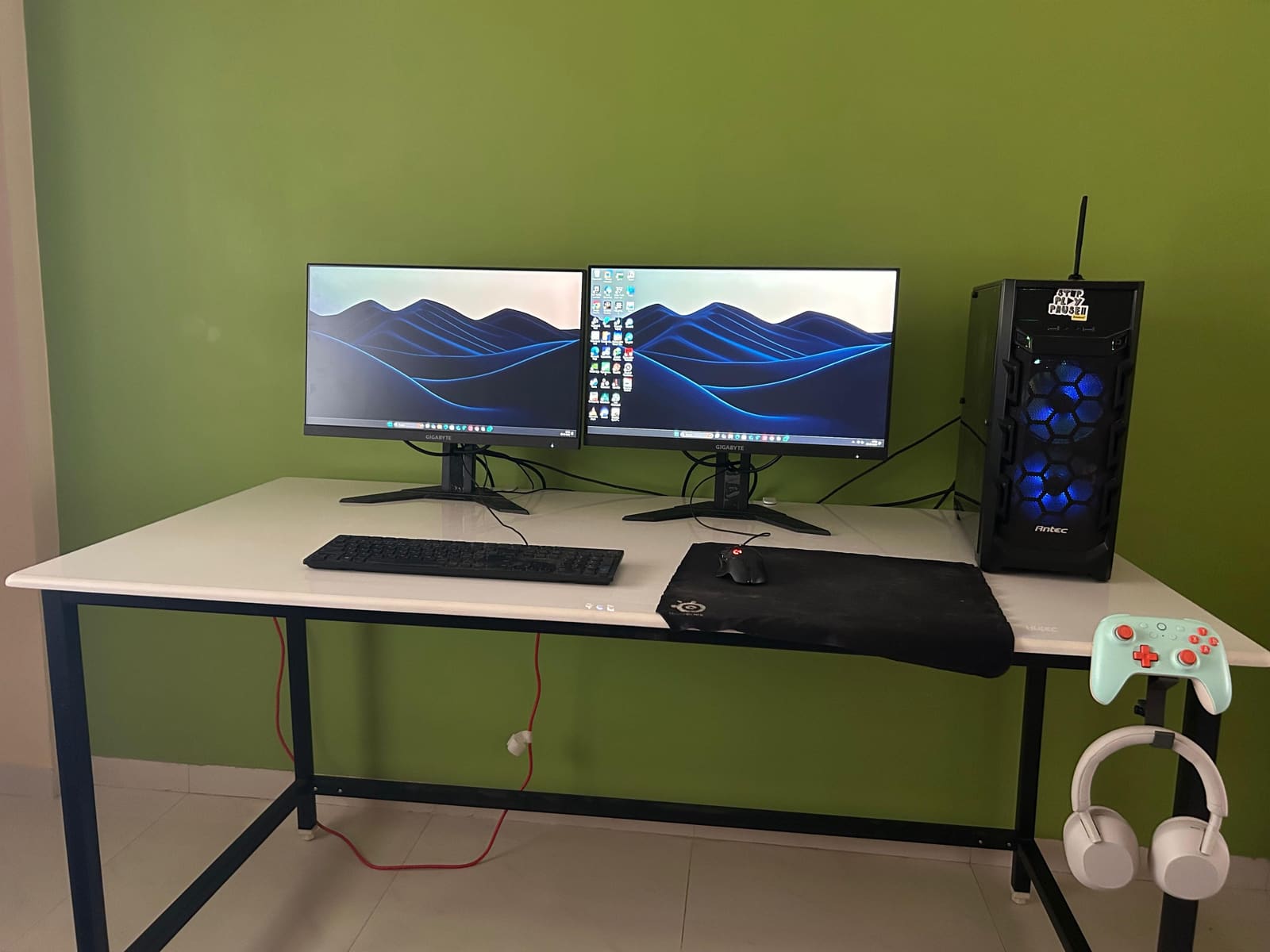
This reduced alt-tabbing and cognitive load during intense sessions.
The One-Month Lock-In (Between Attempts)
I treated the month between exams as a structural rebuild, not frantic scrambling.
What I did consistently:
- Completed the lainkushnagi OSCP list again (HTB + PG boxes) at 4–5 boxes per day
- Revisited fundamentals taken for granted
- Practiced Privilege Escalation daily with emphasis on thinking under time pressure
- Focused on Active Directory labs until pattern recognition felt automatic
- Built checklists and quick decision trees for pivoting
- Simulated exam conditions: timed sessions, same setup, minimal distractions
It wasn’t glamorous. It was repetition with intention. I removed noise and made each practice session serve a single purpose: teach me how to think under pressure.

The Real Privilege Escalation Story
I studied Privilege Escalation from HTB Academy but realised failure in Attempt 1 wasn’t from missing skills, but from poor application under pressure.
What changed for Attempt 2:
- A fixed enumeration checklist (what to run first, second, third)
- Strict timeboxes (25–30 minutes per path before pivot)
- Better prioritisation of findings in linpeas/winpeas output: separate signal from noise fast
- Proof-first mentality: always think “how do I prove control or leak a credential?” rather than “what fancy exploit can I try?”
My Active Directory Step-by-Step Approach
AD Workflow (Exact)
1. Fully Privilege Escalate MS01 first:
- secretsdump (impacket)
- Mimikatz for in-memory or DPAPI creds
net user /domainanddir C:\Users\to build users.txt- Save everything (hashes.txt, users.txt, notes)
2. Crack hashes offline:
hashcat -m 1000 hashes.txt rockyou.txtCracked passwords → passwords.txt
3. Pivot (MS01 → MS02) using Ligolo-ng, then run targeted nmap on MS02 (scan only forwarded ports).
4. Spray in this exact order (use --continue-on-success):
- Domain (passwords)
- Local (passwords)
- Domain (hashes)
- Local (hashes)
This order yields results in the majority of exam-style AD environments.
5. If spraying fails → Kerberos attacks:
- AS-REP roasting (
impacket-GetNPUsers, crack withhashcat -m 18200) - Kerberoasting (
impacket-GetUserSPNs, crack withhashcat -m 13100)
6. If still nothing → return to MS01 and re-enumerate. The missing credential or misconfiguration is usually there: browser stores, scheduled tasks, config files, service accounts, or a misread linpeas result.
Tools & Minimal Setup
- AutoRecon
- NmapAutomator
- ffuf (for web fuzzing)
- linpeas / winpeas (enumeration)
- enum4linux-ng
- Ligolo-ng (pivoting)
- BurpSuite Community (web)
- BloodHound-CE
Remember: tools are aids. The real win is how you use them and how you think while using them.
What I Fixed for Attempt 2: The Checklist That Saved Me
- No more rabbit holes: 25–30 minute rule to pivot.
- Structured enumeration: a fixed set of checks per service.
- Proof-first mindset: find a proof path early (screenshot, shell, user.txt).
- PrivEsc discipline: read linpeas/winpeas with a checklist and prioritise actionable findings.
- AD workflow: follow the spraying → roasting flow reliably.
- Exam hygiene: proper sleep, timing (12:30 PM start), food, and steady dual-monitor setup.
- Document every step: notes that later became report skeleton, which saves time after the exam.
Resources That Helped
Privilege Escalation
Reverse Shells & Payloads
Walkthroughs
Recommended Methodology & Last-Minute Advice
1. HackWithMike’s OSCP Methodology hackwithmike.gitbook.io/oscp
One of the cleanest, most structured OSCP methodologies online. His enum → identify → exploit → re-enum loop and PrivEsc logic map perfectly to the exam.
2. r/OSCP Last-Minute Advice Thread reddit.com/r/oscp/comments/125x8xp
Pure signal. Short, practical reminders from people who recently passed: pivot fast, avoid rabbit holes, take breaks, and trust your process.

Final Thoughts: Practical Advice (TL;DR)
- Practice Privilege Escalation during OSCP prep. Knowing concepts is half the battle; practising their fast, calm execution is the other half.
- Simulate the exam. Attempt OSCP A, B, C.
- Avoid rabbit holes. 60–90 minutes is the soft limit. Pivot fast.
- Improve your environment. Dual monitors and clean workspace cut cognitive overhead more than extra tools will.
- Mind your timing. Start when well-rested, not when you think you’re most awake.
- Document as you go. Notes become report backbone and reduce post-exam stress.